This is not really a feature request. Just a quick summary of an interesting interaction I had with a regular user.
Our QA team member was testing a recent fix we made to the Gridfield “Link Existing” UI. Our QA team does not spend a lot of time in the Silverstripe CMS Admin UI, so they are not intimately familiar with how it works.
Here’s the screen, our QA team member was reviewing:
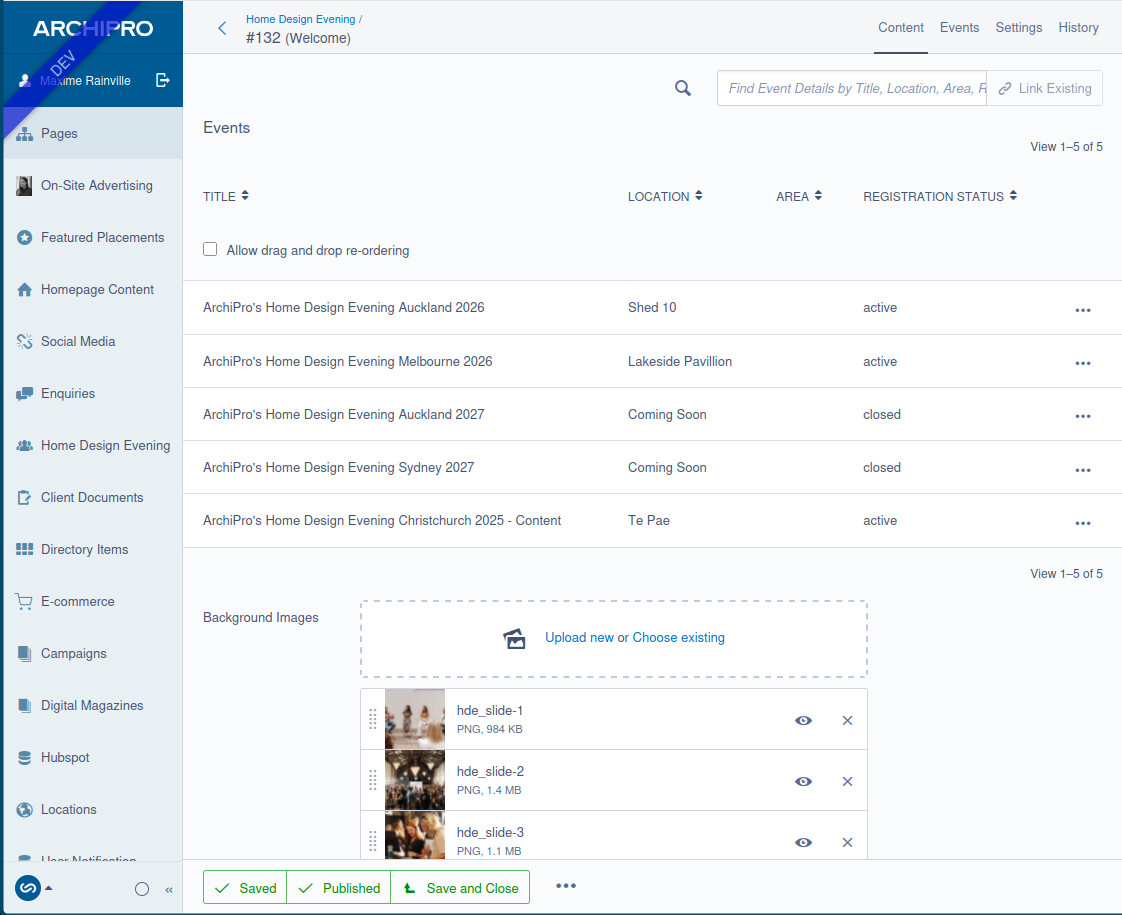
Here are some of the things she got confused with:
- She thought the
 icon was related to the the “Link existing” field.
- She wasn’t sure if the search was meant to be searching just entries in the Gridfield or all possible entries.
- After selecting an entry from to “Link Existing” autocomplete drop down, she didn’t realise that she needed to click the “Link existing" button for the change to take effect.